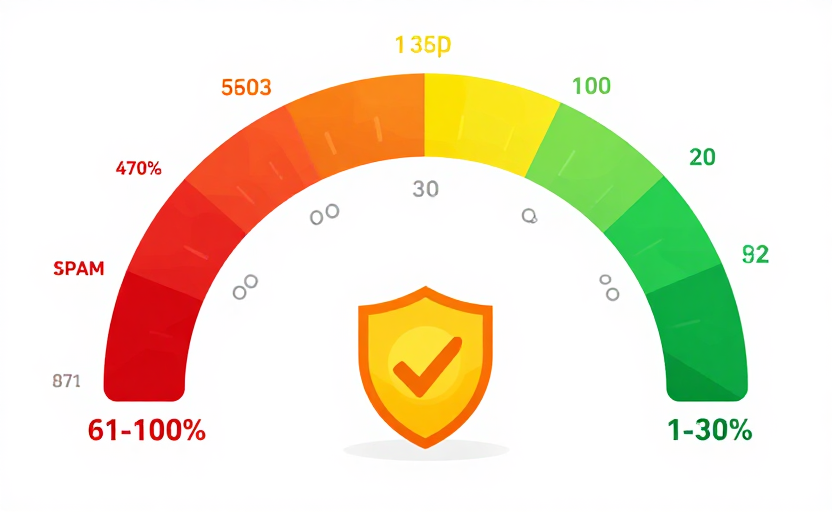
1–30%
Low Risk
Moz's low band. It is still a model output, not proof that every page or link on the domain is safe or relevant.
Check one domain's Moz Website Spam Score for free. Use the percentage as a starting point for investigation—not as an email spam score or Google penalty decision.
WHAT IS SPAM SCORE
Moz Website Spam Score is the percentage of sites with features similar to the researched domain that Moz found penalized or banned in its training data. It is a correlation-based third-party metric, not the probability that Google will penalize this domain. It also has nothing to do with whether an email will reach an inbox. Use the result to start a review, not to automate a verdict.
Moz's low band. It is still a model output, not proof that every page or link on the domain is safe or relevant.
Worth a closer look. The site shares some features with penalized domains. Use the spam score checker as a prompt to investigate quality and content further.
The site shares many features with penalized domains. This is a strong signal to investigate — though a high spam score is not by itself proof that a site is spam.
The three metrics measure different things and complement each other. Domain Rating (DR) measures backlink strength. Domain Authority (DA) predicts ranking potential. Spam Score reports Moz's correlation-based website signal. Compare the metrics only with their different providers and limitations in mind.
HOW TO USE
Enter one public domain to request its Moz Spam Score. The result shows the percentage and Moz band when available; this checker does not return the domain's individual contributing features. Investigate the site's content, relevance, and link context before making a decision.
Type any domain name into the spam score checker search box above — for example, moz.com. Our free spam score checker will look up the Moz Spam Score for that website.
The checker displays the returned Moz percentage and its Low, Medium, or High investigation band. If the provider has no score, the result remains unavailable rather than becoming zero.
A high Spam Score is not a verdict. Treat the returned percentage as a prompt to inspect the site's content, link profile, relevance, ownership, and actual search visibility; this checker does not expose the domain's individual model features.
WHY CHECK
Spam Score can help prioritize which domains deserve closer review. It cannot establish that a domain is toxic, that one backlink is harmful, or that Google has taken action. Combine it with topical relevance, content quality, real visibility, and the context of the specific linking page.
A higher score means the domain shares more characteristics with sites in Moz's penalized or banned training set. It tells you where to investigate, not what Google will do.
For a link or partnership review, use Spam Score alongside the site's topic, content, audience, and the exact page involved. Never reject a site from this number alone.
Spam Score, DR, and DA are separate vendor metrics. Comparing them can reveal questions to investigate, but none is a Google ranking factor or complete site-health diagnosis.
Do not disavow a link solely because a domain has a high Spam Score. Investigate the site's relevance and actual link context, and use Google's disavow tool only for the specific unnatural-link situations Google describes.
Enter one public domain per check to request its Moz Spam Score through our third-party data provider. No account or credit card is required. Coverage can be unavailable, and every score still requires investigation in context.
FAQs
Related Website Metrics
Compare several third-party website metrics while keeping each provider, scope, and limitation separate:
Use the free DR checker for a current observation, compare domains in Bulk, or display the latest Stored DR from your Domain Listing with an optional badge.