How to Check Domain Rating (DR): Single and Bulk Guide
Learn how to check DR for a website in Single or Bulk mode, read the Ahrefs Domain Rating source and status, and handle unavailable scores.
Before You Check DR
If your goal is to learn how to check DR, start with the lookup workflow rather than the score definition. Domain Rating (DR) is Ahrefs' 0–100 measure of a website's backlink-profile strength relative to other domains in its database. This guide focuses on the lookup process and how to read the result. For the metric's calculation, limitations, and comparisons, read What Is Ahrefs Domain Rating?.
Want to jump straight to it? Check any website's DR for free →
3 Steps to Check DR
Step 1: Choose Single or Bulk
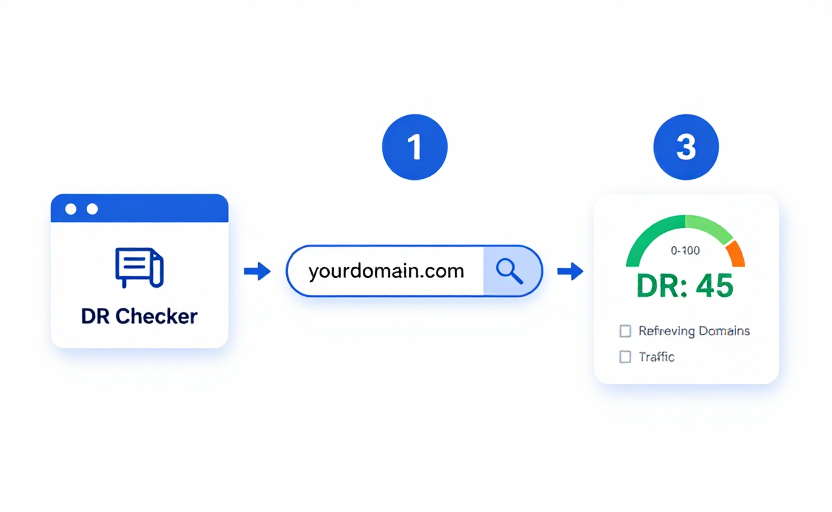
Open the free DR Checker. Use Single for one domain or Bulk for multiple domains entered one per line. Neither mode requires an account or credit card. Bulk requests run one domain at a time, so a longer list takes longer to finish.
Step 2: Enter the Domain
Type a hostname such as moz.com or ahrefs.com. The checker also accepts a full URL and normalizes it to a domain. In Bulk mode, put one domain on each line, then select Check All DR.
Step 3: Read the Result
Single mode returns the best available DR observation with its source, observation time, and a stale-data notice when applicable. It also attempts to show separate traffic estimates and a limited referring-domain summary. Bulk mode shows a DR and status for each input, isolating a failed or unavailable domain instead of stopping the entire batch.
Upstream lookups can be slow or unavailable. An unavailable result is not a DR of zero; read the displayed status and retry later if the provider failed.
| Result state | What it means | What to do |
|---|---|---|
| Current | The provider returned a usable observation without a stale flag | Record the source and observation time before comparing domains |
| Stale | A stored or provider observation is older than the current freshness window | Use it as historical context and retry before making a time-sensitive decision |
| Unavailable | The provider returned no usable DR for this target | Do not convert the missing value to zero; check the target and try again later |
| Failed | The upstream request could not be completed | Retry later; in Bulk mode, other rows continue independently |
What the DR Score Means
Ahrefs does not define one universal “good” DR band. DR is relative: compare a site with genuinely similar competitors, not with the largest domains on the web. Also inspect relevance, content quality, organic visibility, and the linking page before making a link or partnership decision. A higher site-wide score does not make every page or every link valuable.
Free vs Paid DR Checkers
| Free (drchecker.net) | Paid (Ahrefs) | |
|---|---|---|
| Cost | $0 | Paid product |
| Check DR | ✅ Yes | ✅ Yes |
| Referring domains | Limited source sample | Full product reports |
| Historical DR trend | Not promised for arbitrary domains | Full product reports |
| Backlink analysis | Limited summary | Detailed link analysis |
| Batch / bulk checks | ✅ One domain per line | ✅ Yes |
| Best for | Quick DR checks & competitor scanning | Full-time SEO professionals |
Use the free DR checker for a quick observation or a small comparison set. Use Ahrefs' own products when you need its complete backlink index, historical reporting, filtering, or account-level workflows.
Why Check DR Regularly
- Review directional changes. Record comparable observations, then inspect new and lost links before attributing a movement to your work.
- Add context to competitor research. Compare DR with domains competing in the same topic, then inspect the ranking pages and search intent rather than treating DR as a difficulty score.
- Investigate link opportunities. Use DR as one starting signal, then check topical relevance, the linking page, real traffic, editorial quality, and outbound-link patterns.
- Investigate changes. A DR change can reflect your links, changes elsewhere in Ahrefs' relative database, or a refreshed calculation. It is not evidence of a Google penalty.
Other Metrics to Check Alongside DR
DR is most useful when paired with other signals:
- Domain Authority (DA) — Moz's ranking-potential metric. Together with DR, they give you a two-angle view of a domain.
- Spam Score — Moz's website-level investigation signal based on features correlated with penalized or banned sites. It is not a Google decision.
- Trust Flow (TF) — Majestic's backlink-quality metric. Compare it with Citation Flow and relevant competitors rather than using a universal cutoff.
FAQ
How do I check the DR of a website?
Enter the domain into the free DR Checker and select Check DR. The page returns the best available provider observation or a handled stale, unavailable, or failed state; upstream response time can vary.
Is Ahrefs DR Checker free?
Ahrefs offers its own products, while DR Checker provides a free provider-reported DR lookup. No sign-up is required. DR Checker is independent of Ahrefs and does not expose Ahrefs' complete index or account reports.
Is DR a Google ranking factor?
No. DR is an Ahrefs metric, not a Google signal. It correlates with rankings because strong backlinks help both DR and rankings — but Google does not read your DR score.
How often should I check my DR?
Choose a consistent review interval that matches your link-building activity. Small movements can come from Ahrefs' changing relative index, so investigate the underlying links before acting on the score alone.
Can DR be checked in bulk?
Yes. Open DR Checker, select Bulk, and enter one domain per line. Each domain receives its own DR or handled error status, so one failure does not cancel the rest of the batch.